

Effective October 7, 2026, entitled users will be able to place equity trades directly through the Wealthscape mobile app. The enhancement provides greater flexibility for users who need to access trading functionality while away from their desktop.
What’s New?
The Wealthscape mobile app will support whole-share equity order entry from a mobile device.
Key capabilities include:
- Buy and Sell
- View cash available to trade
- Search for securities and view price, bid and ask information
- Select Price Type, Time in Force and Account Type
- Rep Lookup for applicable regulatory fields
- Review the complete order before submission
- Receive an order confirmation directly within the app
📱 How It Works
1 | Select the Account
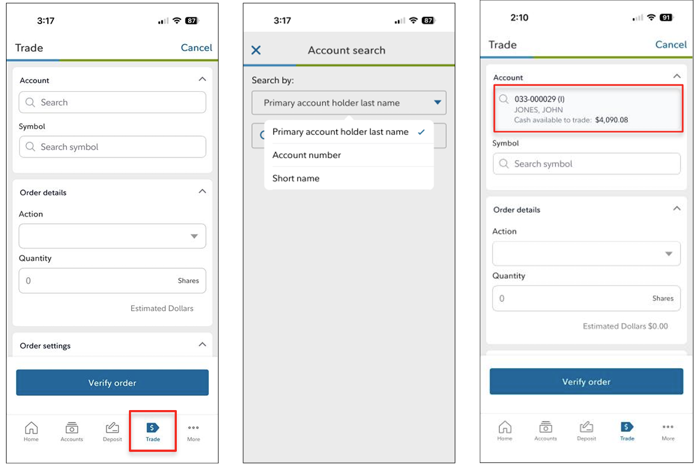
Tap Trade from the bottom navigation bar and select the applicable account. Accounts can be searched by primary account holder, account number or short name. Cash available to trade will display after the account is selected.
2 | Select the Security & Action
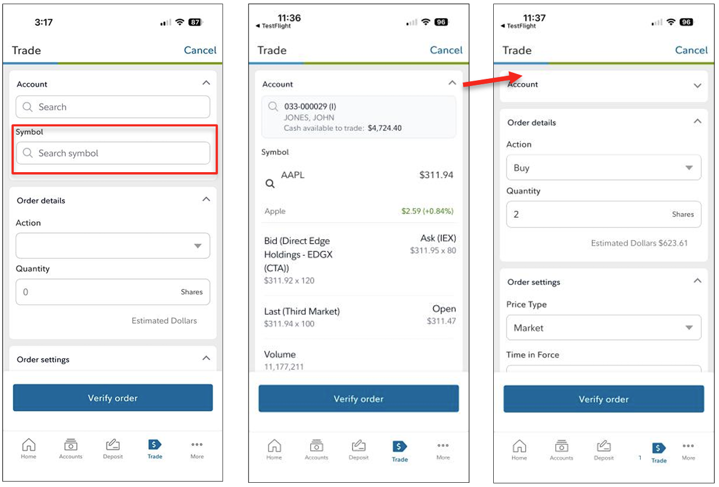
Search for the security symbol and select the applicable security to view market information. Choose the appropriate action and enter the number of shares. The app will display the estimated dollar value of the order.
3 | Complete Order Details
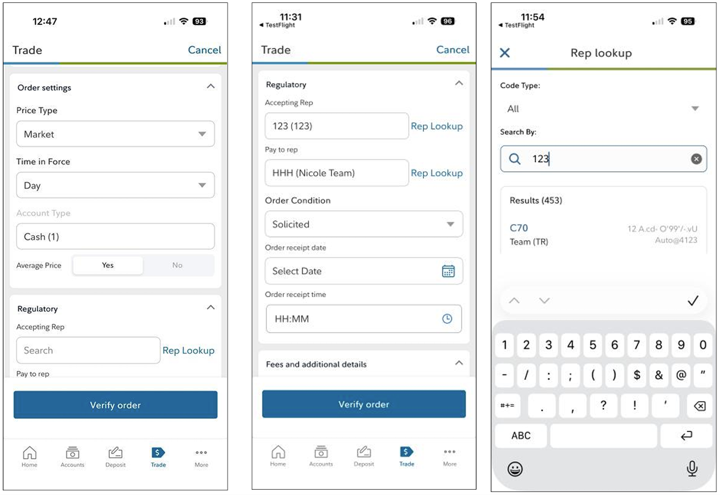
Select the applicable Price Type, Time in Force and Account Type. Regulatory information and additional order details will be available based on the user’s entitlements and the transaction.
4 | Verify & Submit
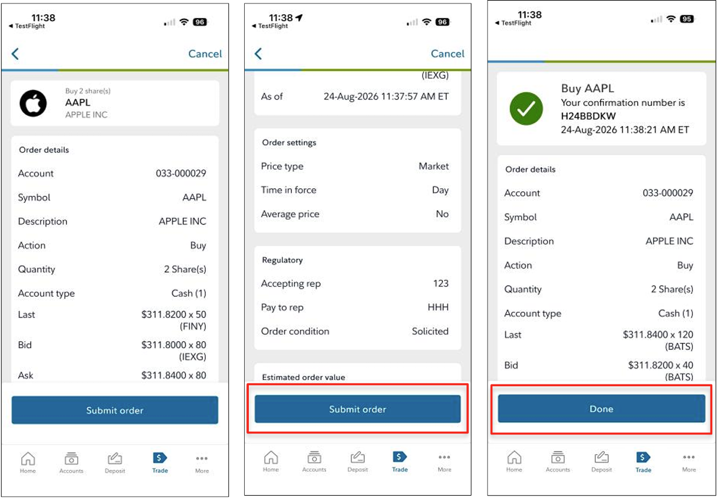
Review the complete transaction on the Verification screen before selecting Submit Order. Once submitted, the app will display the confirmation number and order details.
Before October 7
Already using the Wealthscape mobile app?
Users with automatic app updates enabled will receive the updated version automatically.
Users without automatic updates enabled will need to download the latest version from the Apple App Store or Google Play.
Questions
With questions, please contact the ESI Trading Desk.
TC9141376(0926)1