
We recently marked the one-year anniversary of using AdTrax, and during this time, we’ve successfully reviewed 10,277 submissions. The Advertising Guidance Team (AGT) sincerely thanks you for your continued partnership and support.
To help us review your submissions as efficiently as possible, we’d like to share a few helpful reminders.
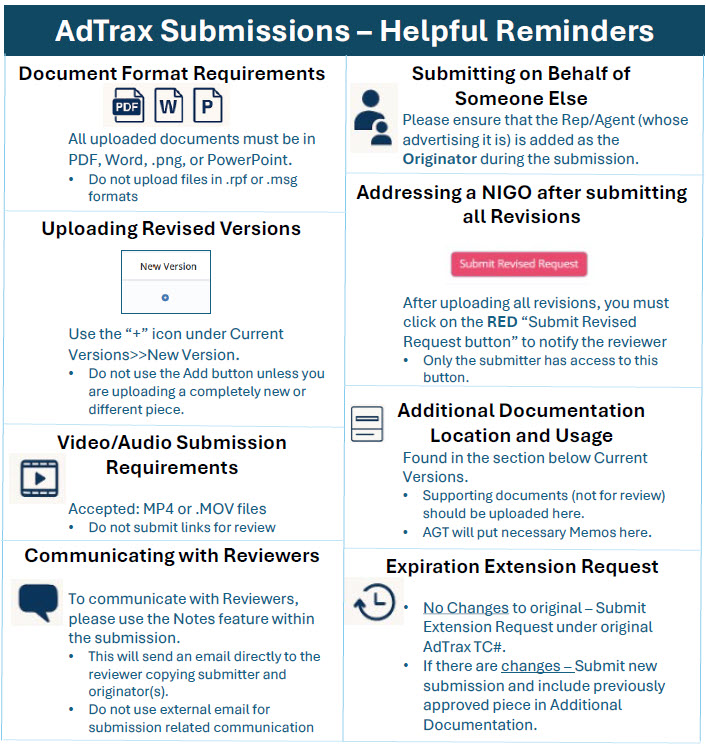
AdTrax Submission Helpful Reminders:
- Document Format Requirements
All uploaded documents or items for review must be in PDF, Word, .PNG, or PowerPoint.
-
- Please do not upload files in .rpf or .msg formats.
- Uploading Revised Versions
When uploading a revised version, use the “+” icon under Current Versions >> New Version.
-
- Do not use the Add button unless you are uploading a completely new or different piece. Using the “+” keeps all versions grouped together.
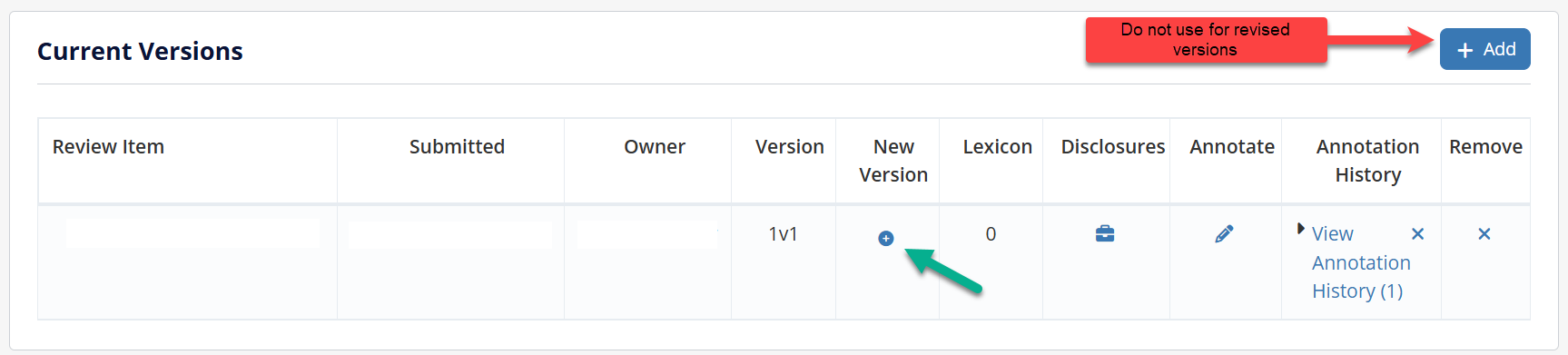
- Do not use the Add button unless you are uploading a completely new or different piece. Using the “+” keeps all versions grouped together.
- Addressing a Not In Good Order (NIGO) Submission after submitting all Revised Versions
After submitting all revised versions, you must click the red “Submit Revised Request” button.
-
- This action notifies the reviewer.
- Only the submitter in AdTrax has access to this button. If you are not the submitter, you will need to contact that individual to “Submit Revised Request.”

- Submitting on Behalf of Someone Else
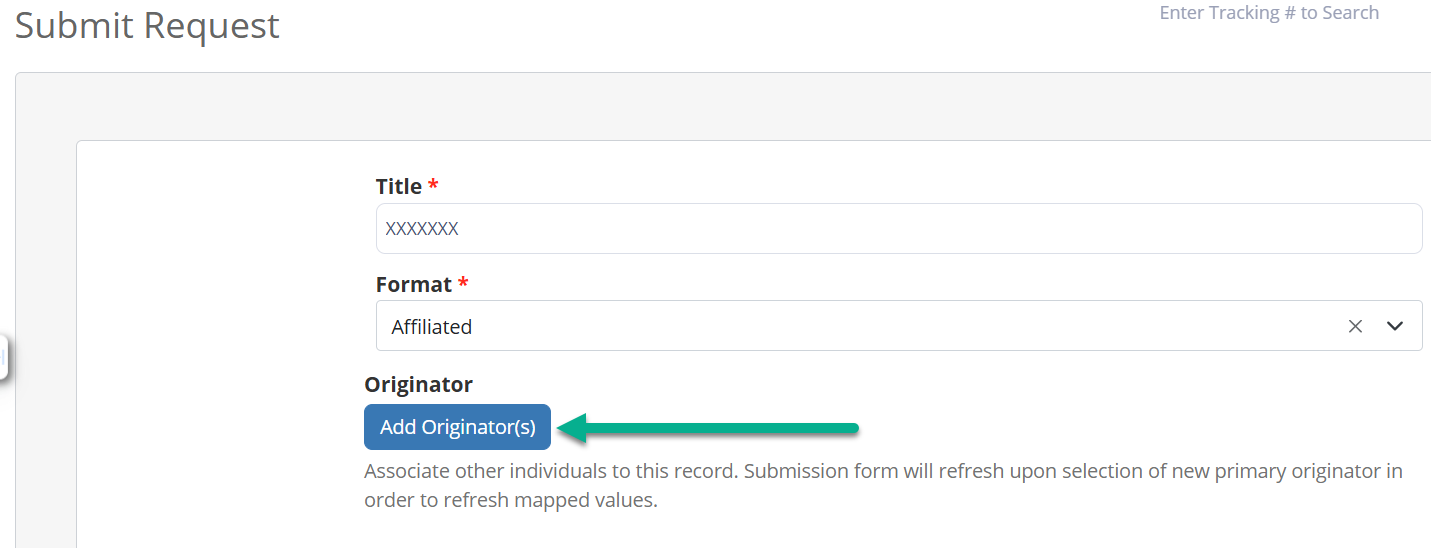
If you are submitting on behalf of another individual, please ensure that person is added as the Originator during the submission.
- Communicating with Reviewers
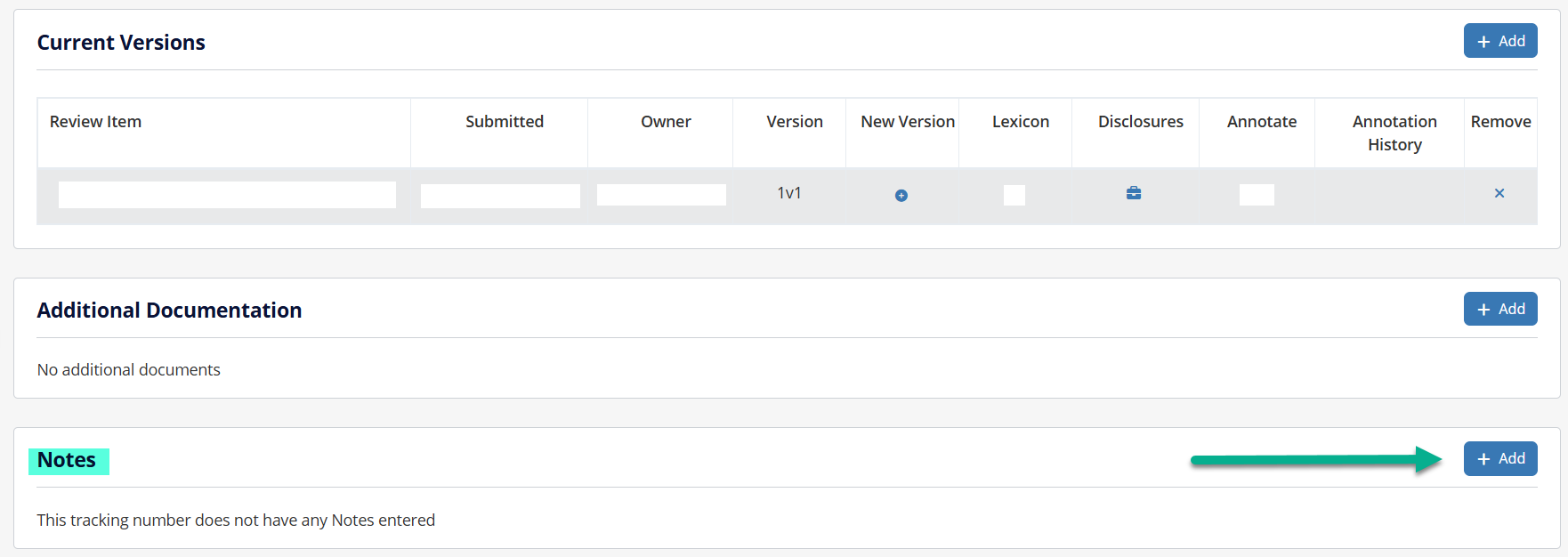
To communicate with a reviewer, please use the Notes feature within the submission.
-
- It will send an email directly to the reviewer with a copy of the email to submitter and originator(s).
- Do not use external email for submission-related communication.
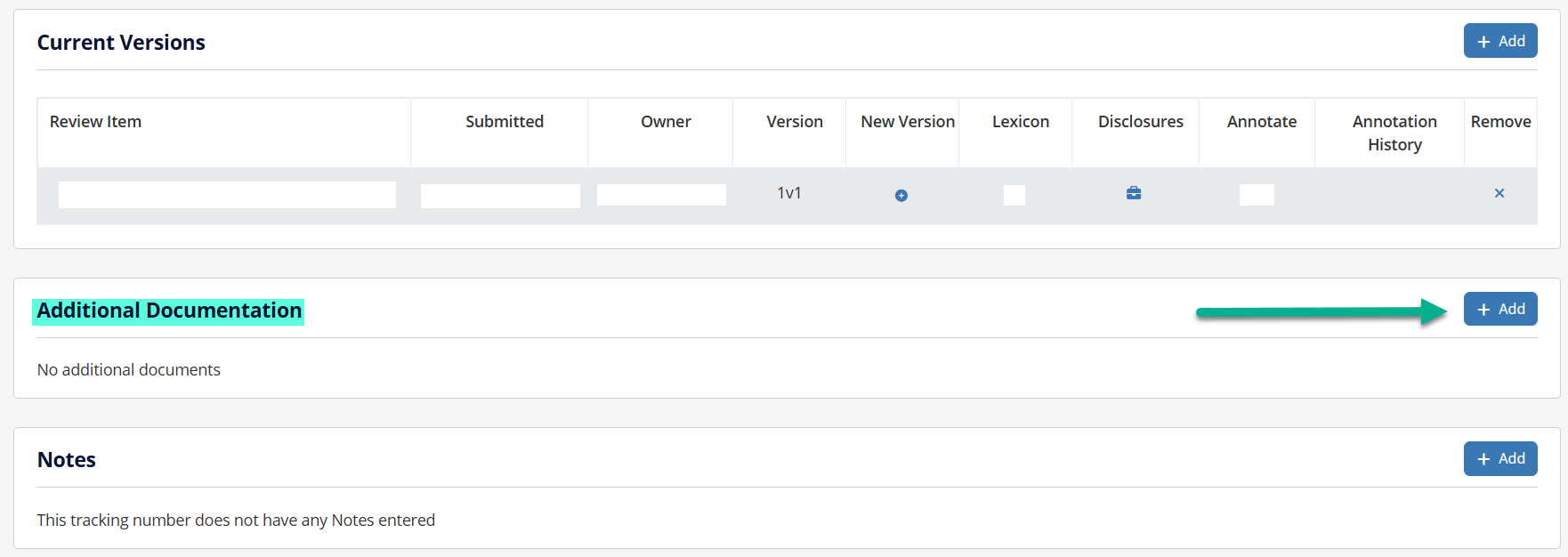
- Location of Additional Documentation
All supporting documents (ones that are not for review) should be uploaded under the Additional Documentation section within the submission.
-
- The AGT will also place any necessary Memos for your review in this section.
- Video/Audio Submission Requirements
Videos and audios must be submitted in .MP4 format or .MOV files.
-
- Please do not submit links for review.
- Files over 5GB cannot be uploaded. Contact AGT for further guidance.
- Expiration Extension Requests
- When you receive the AdTrax expiration reminder email, you have three options:
- If you no longer will use the material, discontinue use and disregard email.
- If you want to continue to use the material, it is current and accurate, and there are no changes needed to it, submit it via the original TC# in AdTrax by clicking Expiration Extension.

-
- If the extension request is approved, you will receive an email indicating only the TC# must be updated. A final version is not required to be uploaded to AdTrax.
- If the extension request is not approved, you will receive an email with further instruction.
9. If there are changes needed to the material, submit it as a new submission and include the previously approved piece as Additional Documentation.
-
- Alternatively, use Find Related Items to link the previous submission to the new one during submission.